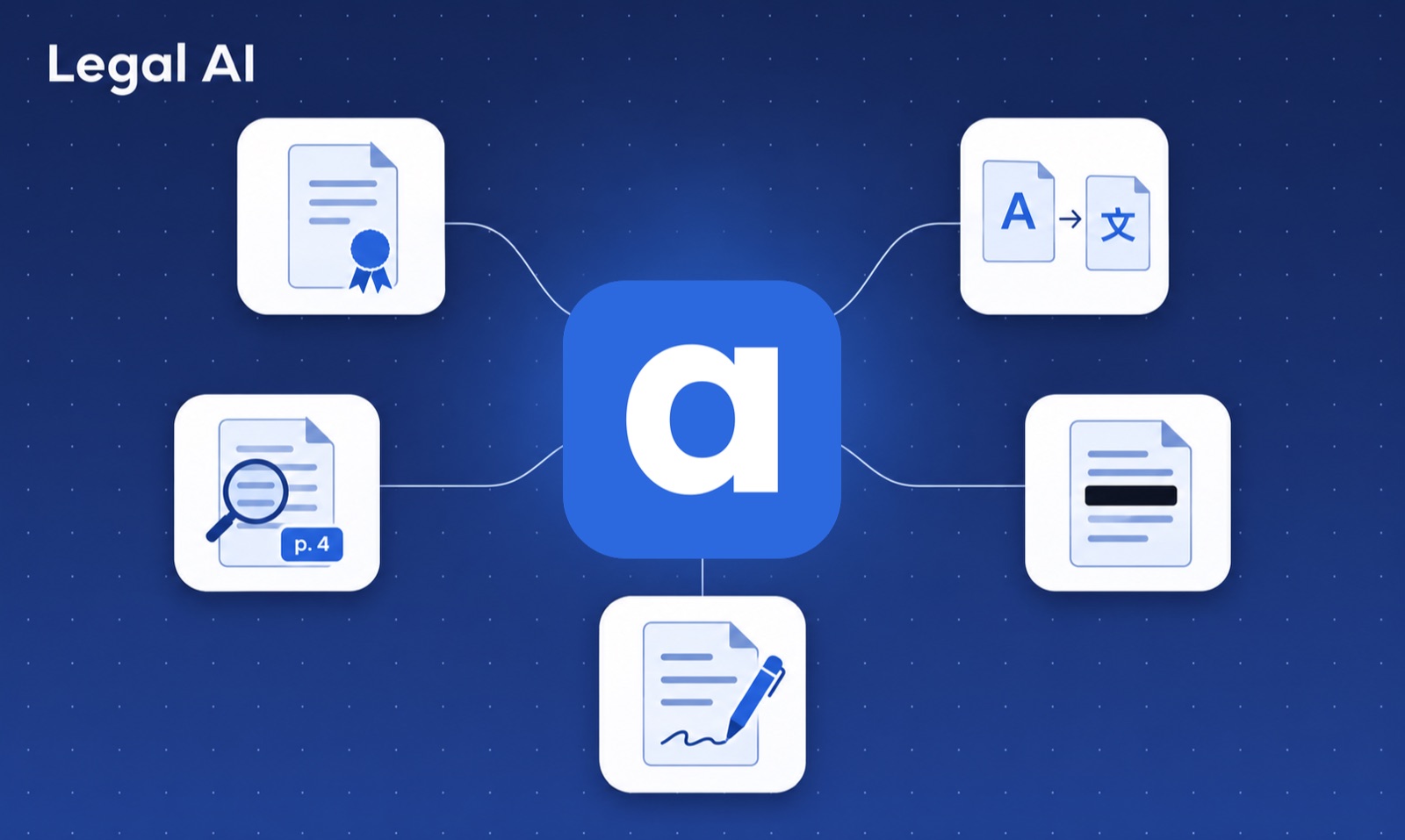
Legal AI is software that uses language models to do the routine work around legal documents: finding an answer in a file, writing a first draft, translating, hiding personal data and summing up long texts. It does not replace the lawyer or the notary. It prepares the work, and a person checks it and signs it.
This article is general information, not legal advice. Follow the rules of your bar or chamber when you use any AI tool.
What is legal AI?
Legal AI is the use of artificial intelligence for legal work. Today that mostly means large language models, the same kind of technology behind ChatGPT, placed inside a tool that is built for a legal office.
The model alone is not the product. A legal AI tool adds what an office needs around it: the office's own documents, the source of each answer, its templates, and control over who sees client data.
What can legal AI do today?
These are the jobs where legal AI tools already save time:
- Answer questions from documents. Ask what the notice period is in a contract, or who signed a deed, and get the answer with the page it comes from.
- Write first drafts. Fill a template from the facts of a case, or write a letter in the style of earlier ones.
- Translate. Turn a contract or a deed into another language and keep its layout.
- Hide personal data. Find names, addresses and numbers in a document and remove them before it is shared.
- Sum up and compare. Give the main points of a long file, or list what changed between two versions.
- Search case law and statutes. Some tools are tied to legal databases and answer with citations.
What can legal AI not do?
- It can be wrong. A model can state something false in a confident tone. An answer without a source you can open is not safe to rely on.
- It does not know your file unless the tool can read it.
- It does not take responsibility. The advice, the deed and the signature stay yours.
- It does not replace judgment. Whether a clause is fair, whether a client should sign, what a court will do: these are still your calls.
The working rule is simple: the AI proposes and you check. Read its work as you would read a junior colleague's.
What kinds of legal AI tools are there?
Most tools fall into four groups.
- General chatbots, such as ChatGPT or Claude. Good for generic text and explanations. They do not know your files, and a personal account is a poor place for client data. See ChatGPT vs legal AI.
- Legal research tools, tied to databases of case law and statutes. They help answer a point of law with citations.
- Platforms for large firms, such as Harvey, sold to big law firms and in-house teams. See our comparison with Harvey.
- Office tools built around your own files, such as Acta. They work on the deeds, contracts, letters and templates the office already has.
Many offices end up with two of these: a research tool for the law, and an office tool for their own documents.
How do you choose a legal AI tool?
Ask every vendor the same questions.
- Does it show its sources? You should see the document and the page behind each answer.
- Where is the data processed, and by whom? Ask for the country of the servers and the names of the companies involved, such as the AI provider.
- Is your content used to train models? Get the answer in writing.
- Does it work with your documents and templates, or only with text you paste in?
- Can the whole office use it, with one shared workspace and clear rights?
- Can you export and delete your data when you leave?
- What does it really cost for your team?
- Does it work in your languages?
Then check what your bar or chamber says about AI and professional secrecy.
How does Acta bring legal AI to the office?
Acta is a web app for notary offices and law firms. It puts legal AI where the daily work is, in the office's own files.
- Ask Acta answers questions from the office's own documents and shows the exact page each answer comes from.
- Drafting fills the office's own Word templates and shows the source of each value it proposes.
- Smart Processing writes new documents in the look of past examples, such as the letter that follows a deed.
- Translation keeps the layout of PDF, Word, PowerPoint and Excel files, in 12 languages.
- Anonymization finds personal data and hides it, and you review what was removed.
- Clients and cases, client questionnaires, document requests and an appointment booking page keep each file's work in one place.
What Acta does not do: it does not search case law or statutes. It answers from your own documents, so it sits next to a research tool, not in place of one.
The interface is in English, French and German. Each office's data is private to its workspace. Acta runs on a server in Germany and uses OpenAI's models. A person always checks the result.
How do you start with legal AI in a small office?
Start small, with work that carries little risk.
- Pick one task that comes back every week, such as a standard letter or a translation.
- Test on a closed file or on public documents, not on a live case.
- Check every result against its source for the first weeks. Note where the tool is strong and where it slips.
- Write a short office rule: which tools are allowed, what may go into them, and who checks the output.
- Add the next task once the first one runs well.
You can try two parts of Acta right now, free and without an account: redact a PDF and translate a PDF and keep its layout.
Where to go from here
If you run a notary office, read AI for notaries. If you run a law firm, see Acta for law firms. Acta is free during the pilot. To see legal AI on your own kind of file, request a demo.
Frequently asked questions
- What is legal AI?
- Legal AI is software that uses artificial intelligence, mostly large language models, for legal work: answering questions from documents, writing first drafts, translating, hiding personal data and summing up long texts. A person still checks and signs the work.
- Is legal AI just ChatGPT?
- Not exactly. Many legal AI tools use the same kind of models, and Acta uses OpenAI's. What differs is what is built around the model: your own documents, the source page for each answer, your templates and the office's control over client data.
- Is legal AI safe for client data?
- It depends on the tool. Ask where the data is processed, which companies process it, whether it is used to train models, and whether you can export and delete it. Also follow the rules of your bar or chamber on professional secrecy.
- Will legal AI replace lawyers and notaries?
- No. Legal AI prepares drafts, finds passages and does routine document work. It can be wrong, and it takes no responsibility. The judgment, the advice and the signature stay with the professional.
- What is the best legal AI tool?
- There is no single best tool. Large firms often look at platforms such as Harvey, and a research tool helps with case law. A notary office or small firm usually gets more from a tool built around its own documents and templates, such as Acta.
Written by Ala Baganne, software engineer and founder of Acta.
About the authorSee what Acta can do for your office
Tell me which tasks take your office the most time, and I’ll tailor a free demo to them.
Request a demo